将 Kubernetes 中的错误日志转发到 Splunk
在生产环境中,及时收集和分析错误日志对于保持系统稳定和排查问题至关重要。
本指南介绍如何收集 Kubernetes 环境中运行的多个 API7 Gateway 实例的错误日志,并将其发送到 Splunk 进行集中管理。为此,将使用 Splunk OpenTelemetry Collector for Kubernetes,它是专门用于收集 Kubernetes Pod 日志的解决方案。
前置要求
- 在 Kubernetes 集群中部署 API7 Gateway。
- 安装 Splunk。
部署 Splunk
可以使用 Splunk 云服务,也可以在本地部署 Splunk。如果已经部署 Splunk,可以跳到下一步创建 Splunk HEC Token。
创建用于部署 Splunk 的 docker-compose 文件:
docker-compose.yaml
services:
  splunk:
    image: splunk/splunk:8.2.3
    container_name: splunk
    hostname: splunk
    environment:
      - SPLUNK_START_ARGS=--accept-license
      - SPLUNK_PASSWORD=yourpassword123
      - SPLUNK_HEC_TOKEN=your-hec-token
    ports:
      - "8000:8000"
      - "8088:8088"
      - "8089:8089"
    healthcheck:
      test: ["CMD", "curl", "-f", "http://localhost:8000"]
      interval: 30s
      timeout: 10s
      retries: 3
    restart: unless-stopped
启动 Splunk:
docker compose up -d
创建 Splunk HEC Token
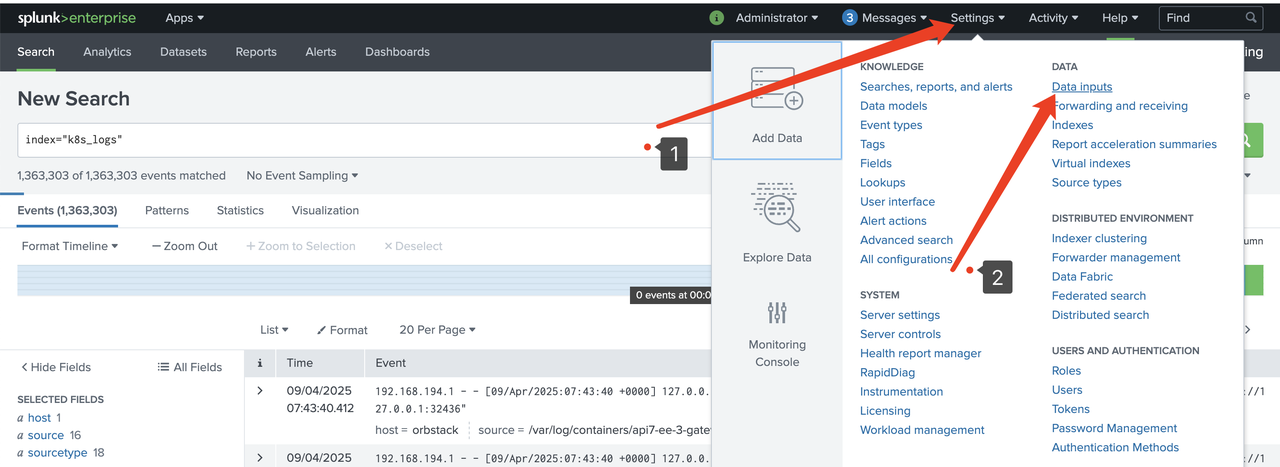
进入 Settings > Data inputs:
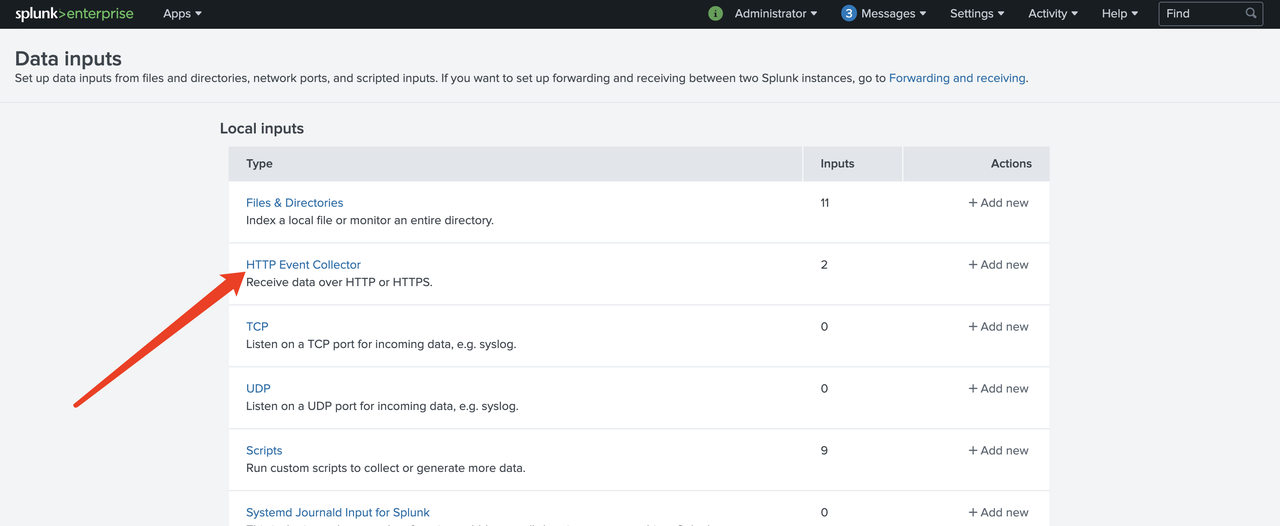
选择 HTTP Event Collector:
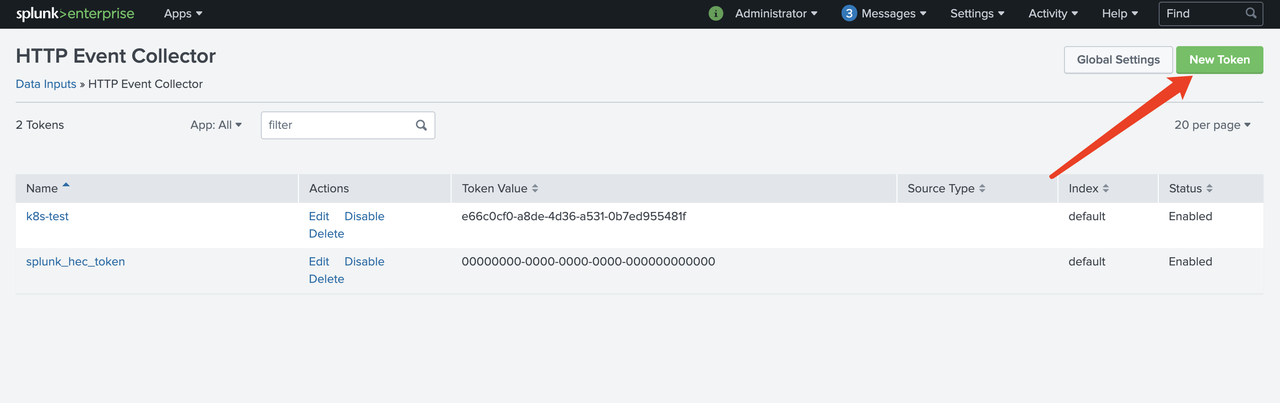
创建新 Token:
创建 Splunk 索引
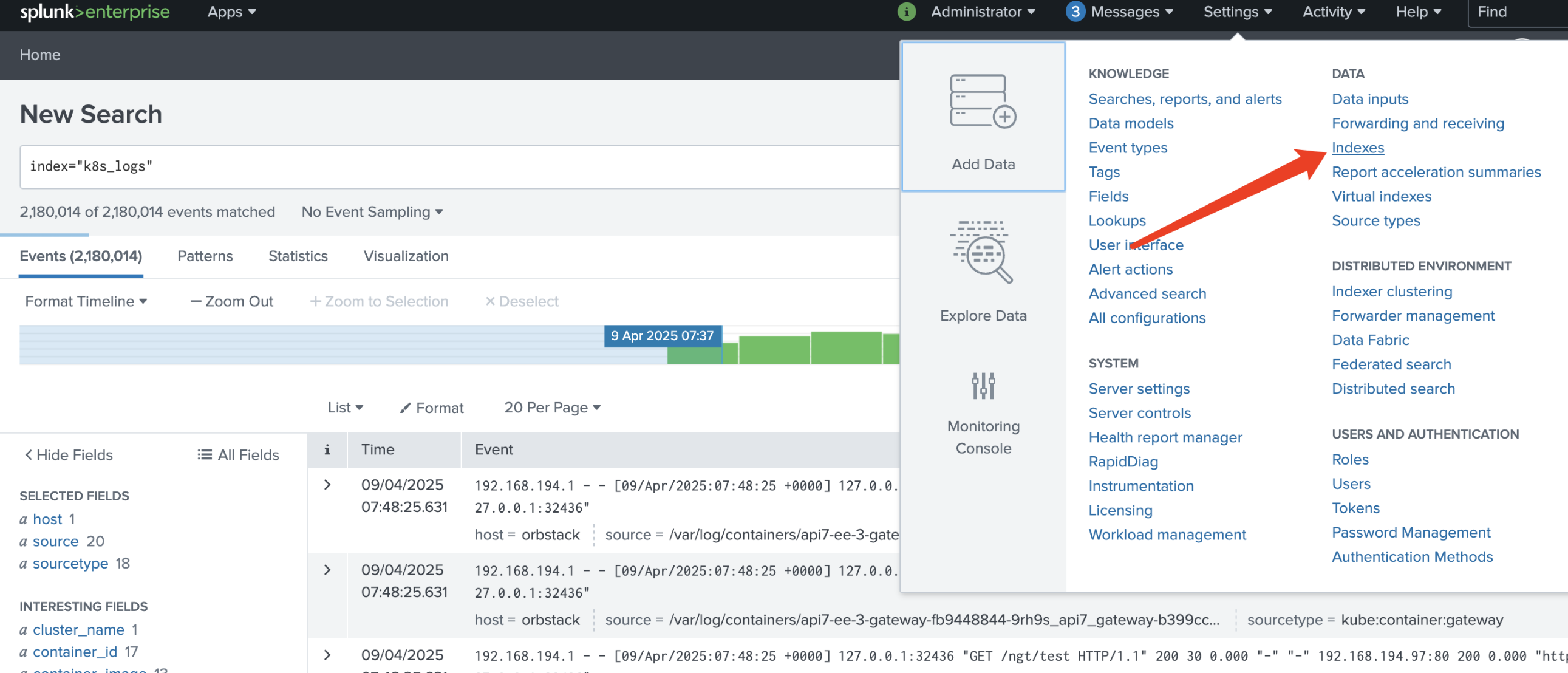
要在 Splunk 中创建用于收集错误日志的索引,请进入 Indexes:
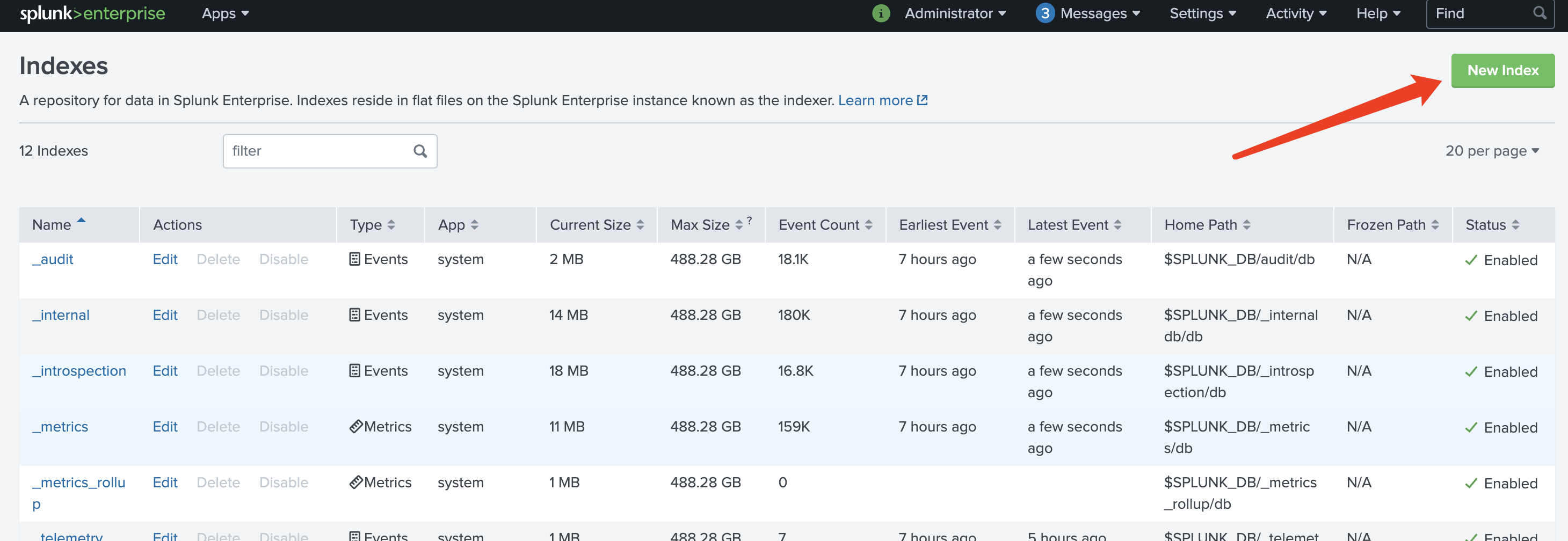
例如,可以创建名为 gateway_error_logs 的索引:
部署 Splunk OpenTelemetry Collector for Kubernetes
创建 Helm Chart 的 values 文件:
values.yaml
clusterName: "my-cluster"

splunkPlatform:
  endpoint: "https://{Your_Splunk_Host}:8088/services/collector/event"
  token: "your-hec-token"
  index: "gateway_error_logs"
  insecureSkipVerify: true

  logsEnabled: true
  metricsEnabled: false
  tracesEnabled: false

logsEngine: "otel"
logsCollection:
  containers:
    enabled: true
    excludeAgentLogs: true
    extraOperators:
    # https://github.com/open-telemetry/opentelemetry-collector-contrib/blob/main/pkg/stanza/docs/operators/README.md
      - type: "filter"
        expr: 'not (body matches "(?i)(error|exception|fail|fatal)")'

agent:
  resources:
    limits:
      cpu: 1
      memory: 512Mi
    requests:
      cpu: 200m
      memory: 256Mi
有关 Splunk OpenTelemetry Collector for Kubernetes 的高级配置,请参阅官方 Helm Chart 配置文件。
安装 Splunk OpenTelemetry Collector for Kubernetes:
helm repo add splunk-otel-collector https://signalfx.github.io/splunk-otel-collector-chart
helm repo update
helm upgrade --install my-splunk-otel-collector -n logging --create-namespace -f values.yaml splunk-otel-collector-chart/splunk-otel-collector
验证日志收集
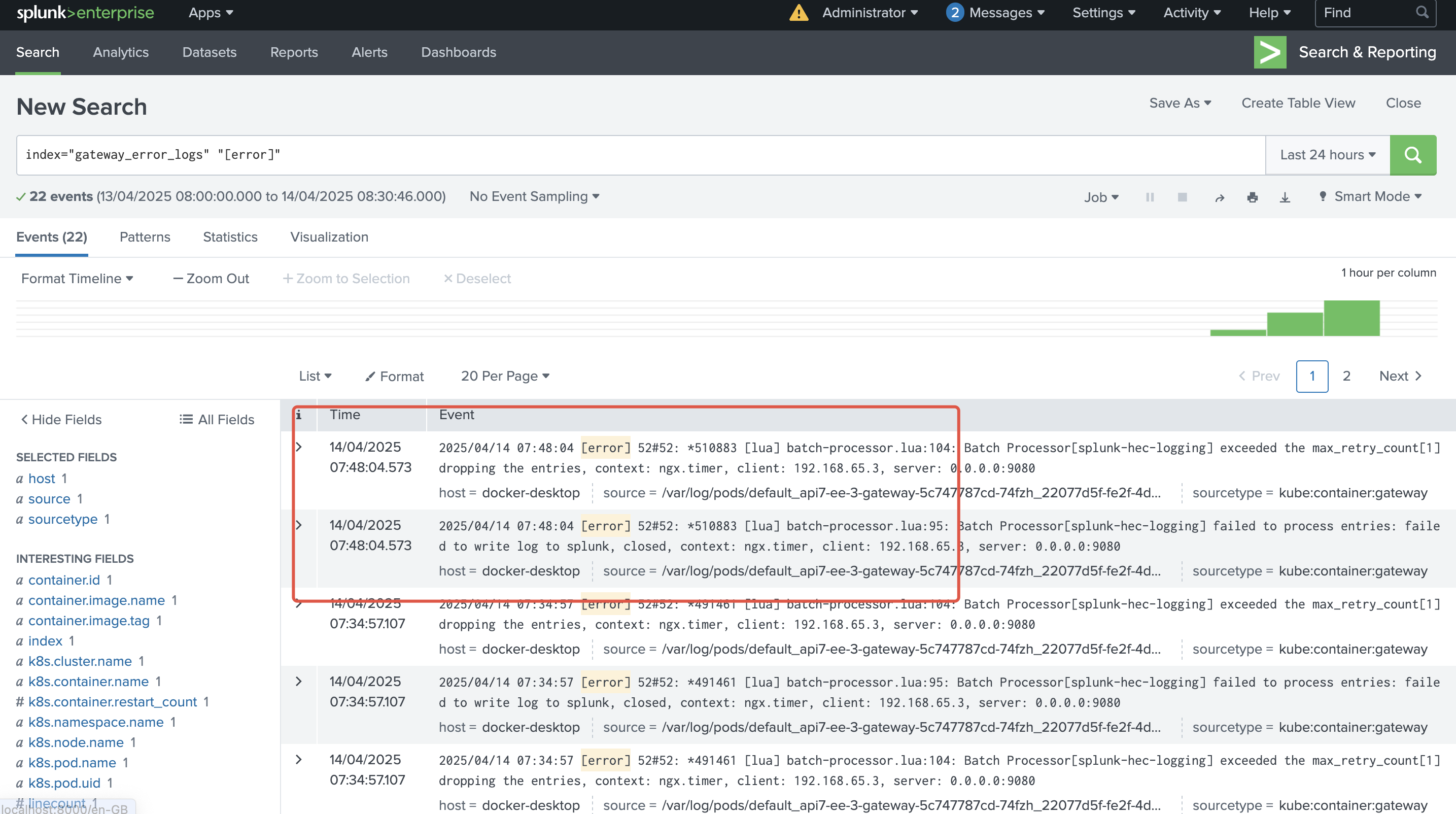
在 API7 Gateway 中生成任意错误日志。在 Splunk 管理控制台中,搜索 index="gateway_error_logs" "[error]" 以查看相应的错误日志: